Unofficial army list builder
Build lists. No connection. No account.
Faction, unit, points, checks, PDF — at the table, at the club, on the train. The catalogue data lives on your device, not on a server.
13
Editions
5
Platforms
0
Accounts
Supported game systems
Warhammer 40k
11th Edition · 10th Edition · Combat Patrol · Kill Team · 9th Edition · 8th Edition · 7th Edition · 2nd Edition
Warhammer - Age of Sigmar
4th Edition · Spearhead
Warhammer - The Old World
The Old World
Warhammer - Horus Heresy
3rd Edition
Flames of War
Version 4
Unofficial: the names identify the games whose catalogues the application reads. The rights holders are listed under Legal.
Get the application
Windows
Android

Apple
In development
The download is free of charge and the full unlock a one-off in-app purchase. The price and the contracting party are under Legal.
Version of this build: 1.3.2
Four jobs, nothing beside them
List building
Pick a faction, search a unit, add it to the list. Categories stay in the order the rulebook gives them.
Datasheets
Stat line, ranged, melee, abilities. The weapon name and range stay anchored while the table scrolls sideways.
Roster checks
Every rule notice names the state and the next action — gathered at the head of the list, marked on the unit it concerns.
PDF export
Choose the datasheets and write them out as a PDF. Units present more than once appear only once.
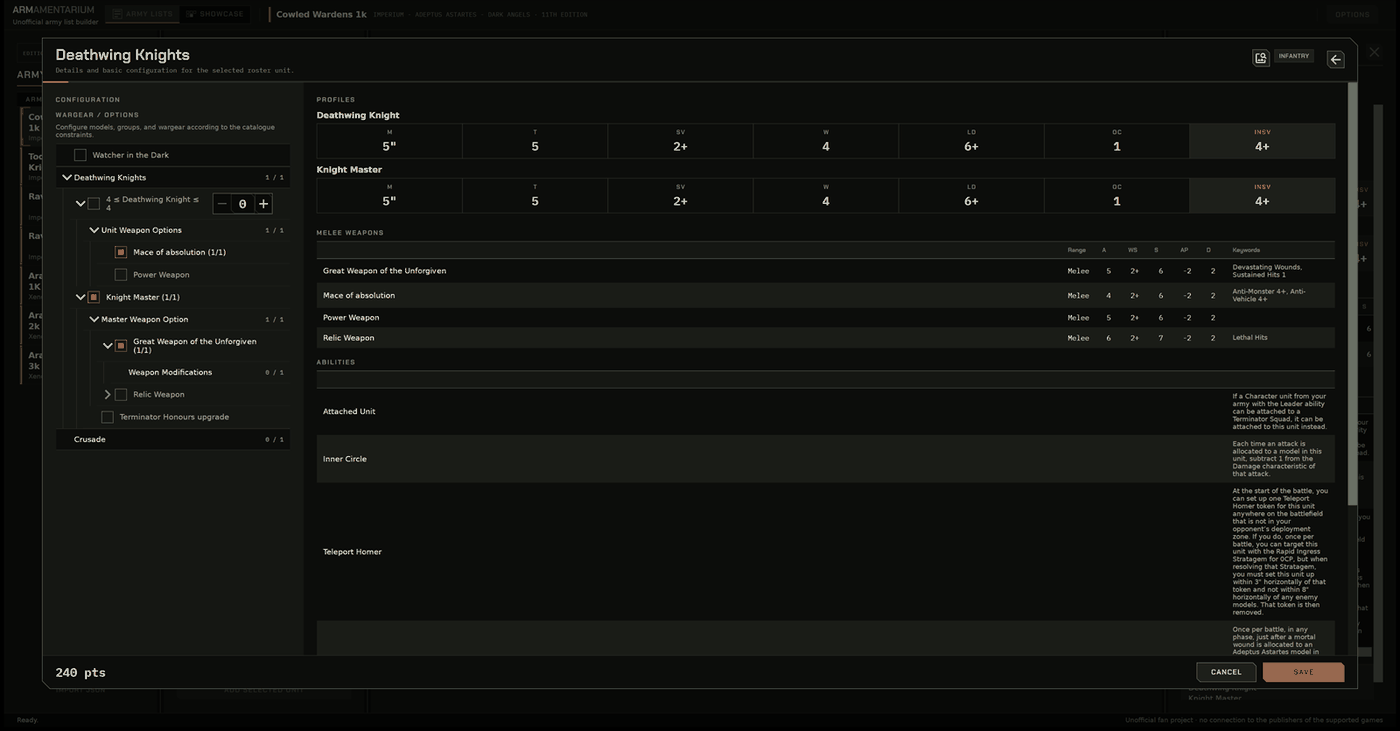
Unit detail with the configuration tree and profile tables.
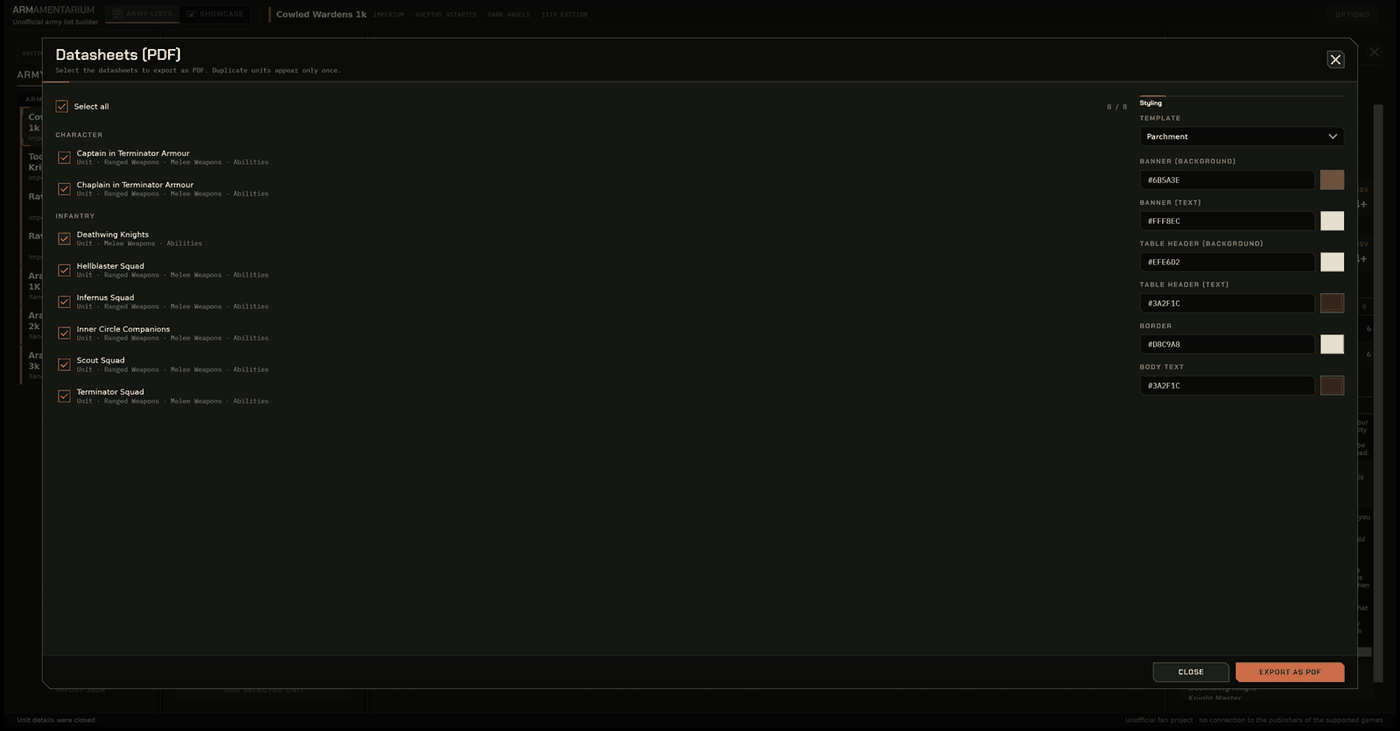
A datasheet written out as a PDF.
One interface, four widths
Not several separate applications: the areas stand side by side, fold to a narrow edge, or take the whole screen — whichever the available width allows.
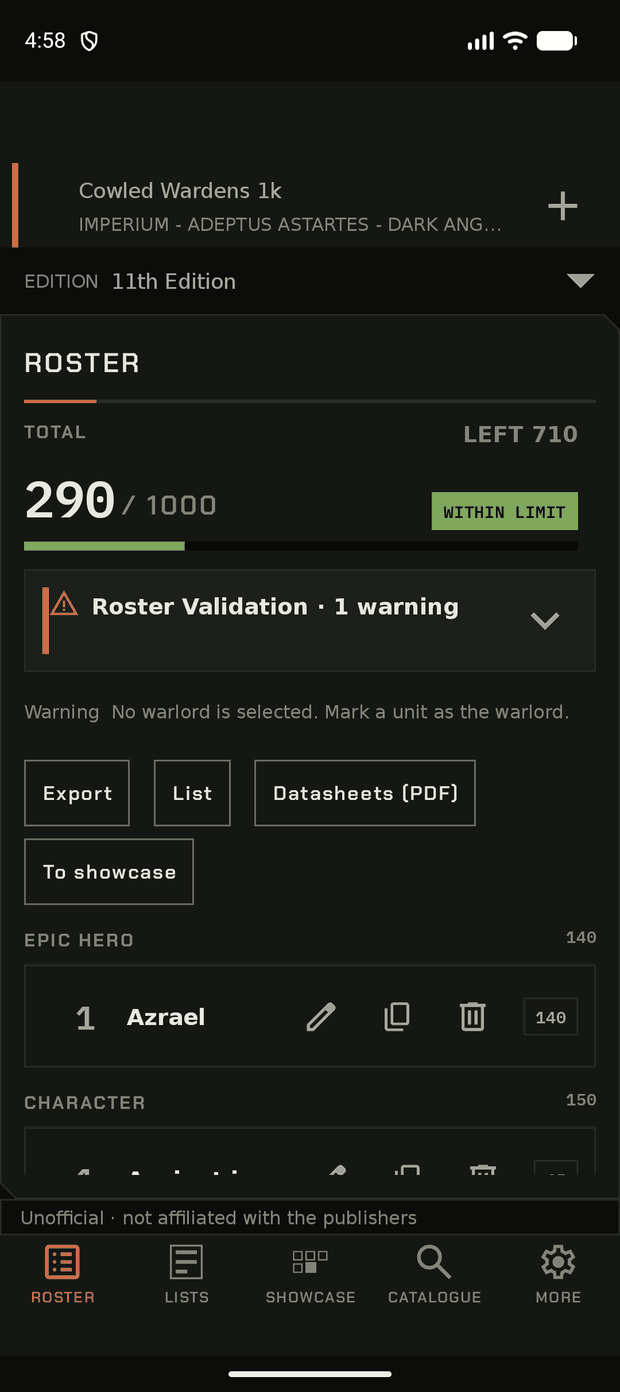
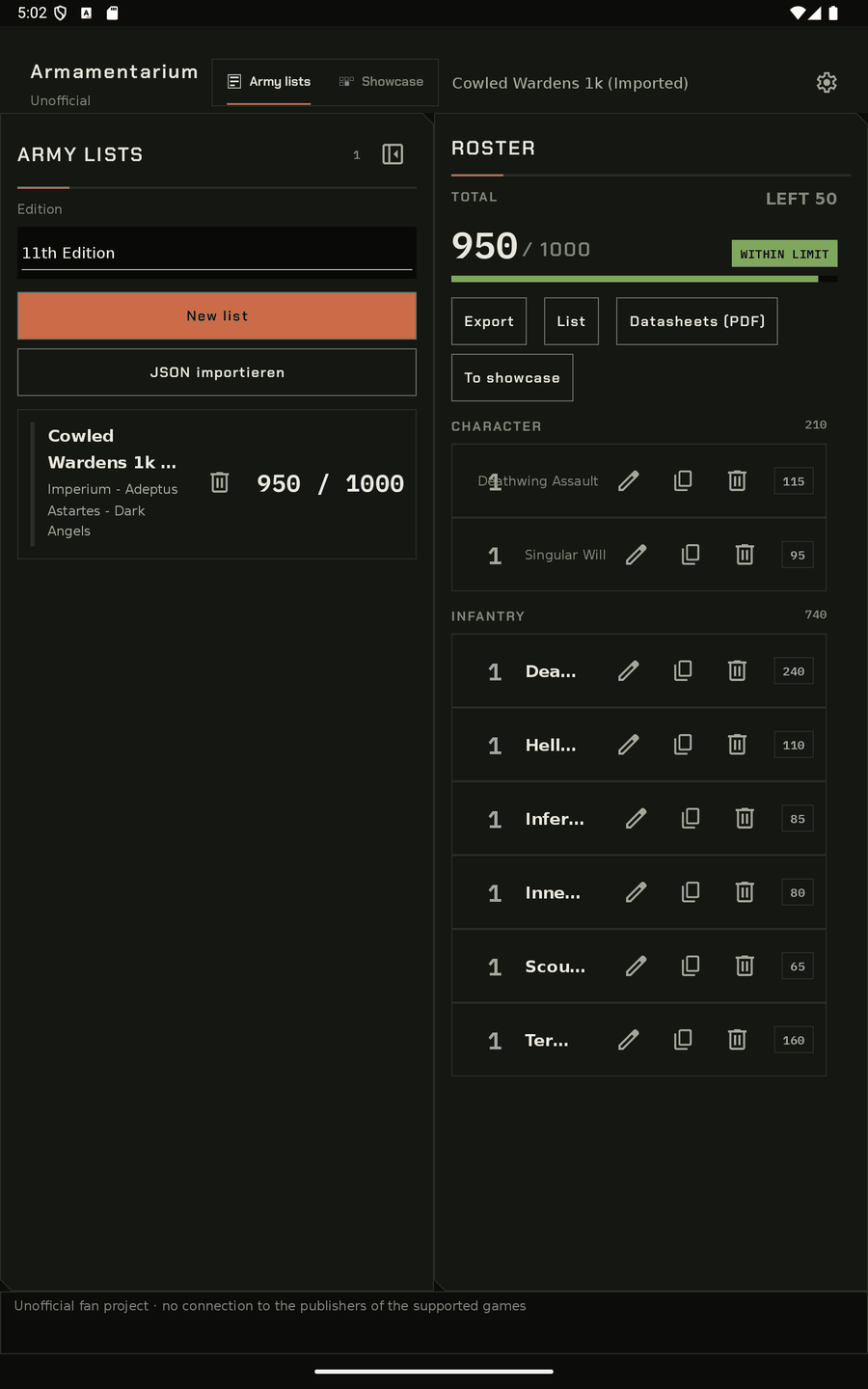
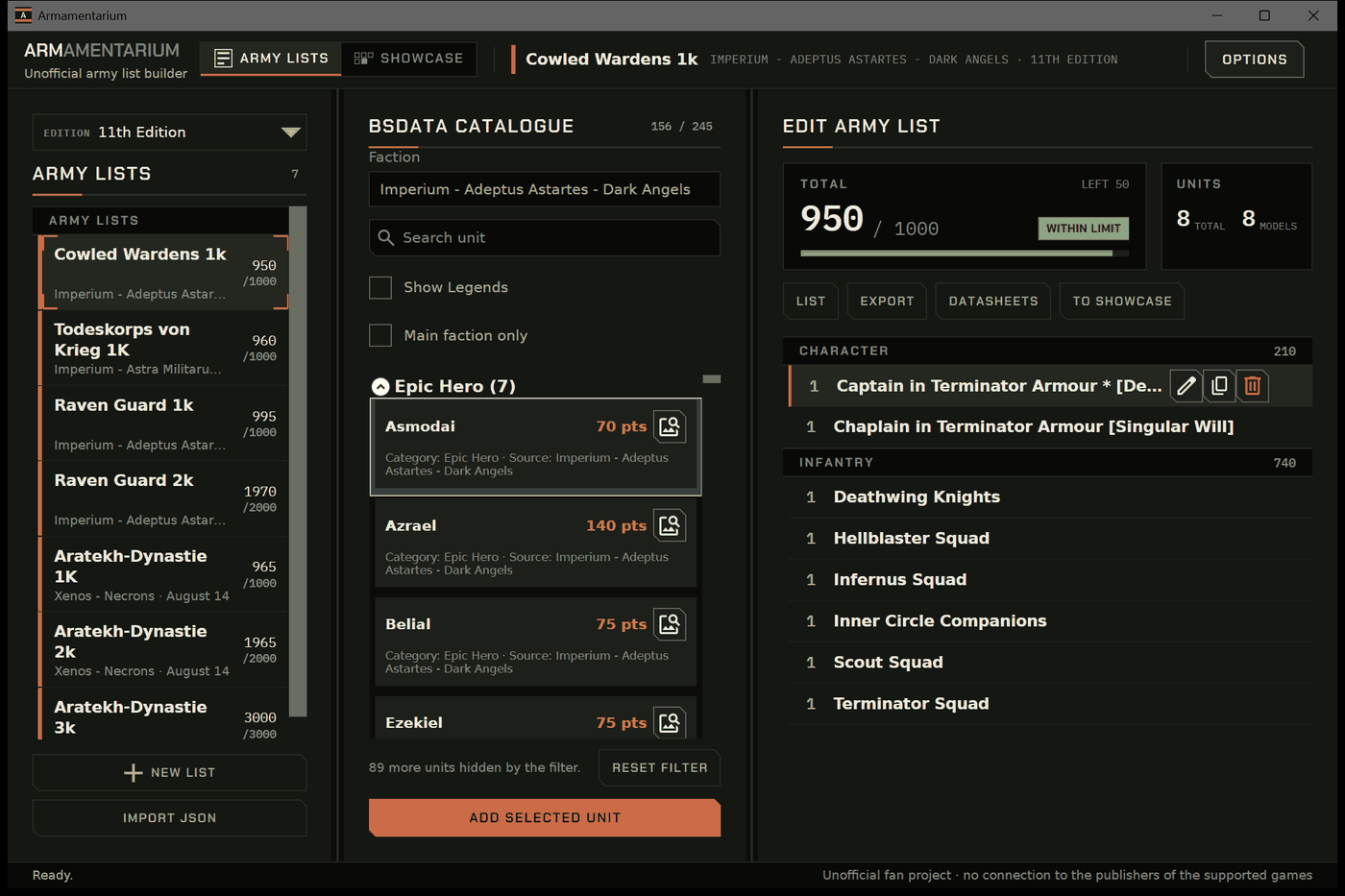
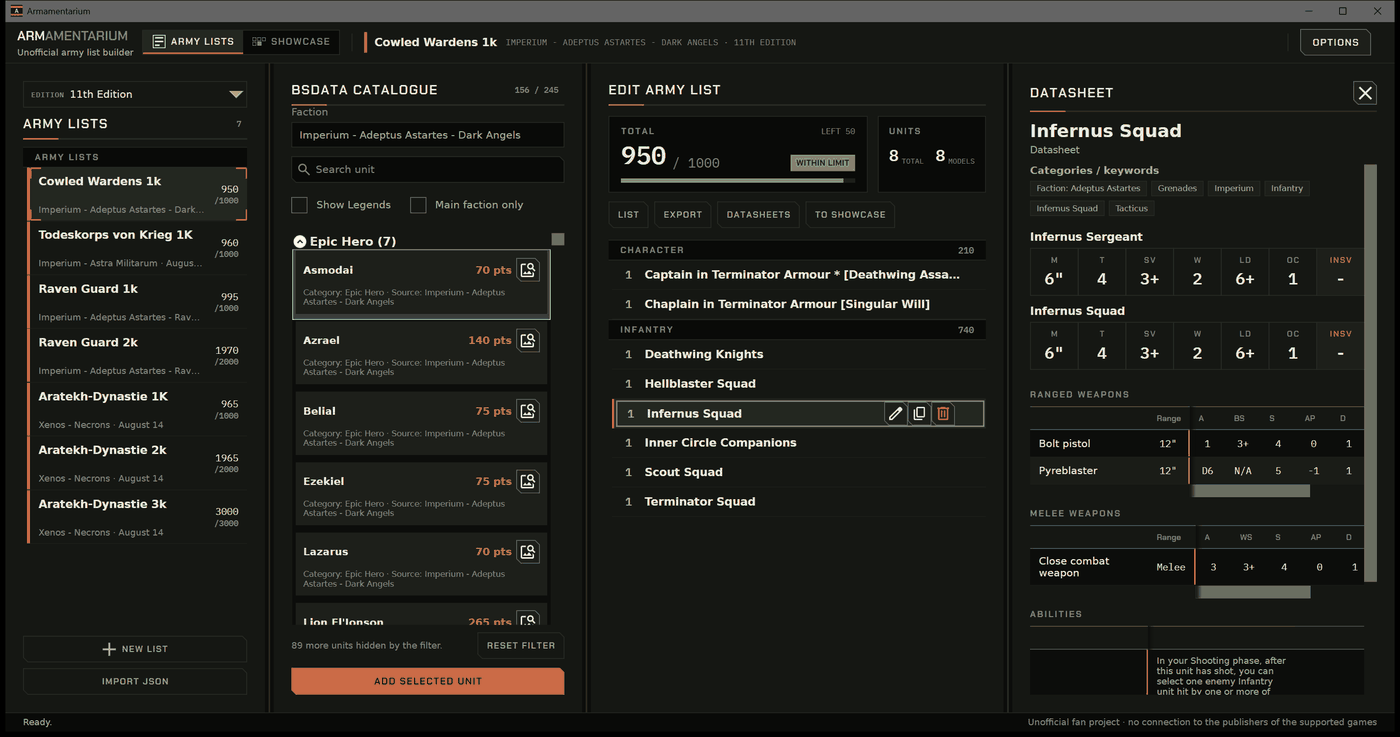
Swipe or scroll sideways.
The data lives on the device
Import
Once, with a connection. On an explicit request, never in the background.
List building
Afterwards without a connection. Lists, collection and settings stay on the device.
Updating
By hand, per catalogue. No account, no synchronisation, no tracking.
The application contains no catalogue data. It is obtained on request, at import time, from public repositories of the BSData community.
Answers, briefly
What does the application cost?
The download is free of charge. The full unlock is a one-off in-app purchase — no subscription, no advertising, no further offers. The price and the contracting party are under Legal.
Is an account required?
No. There is no sign-in and no profile on a server. Lists stay on the device.
Where does the catalogue data come from?
From BSData, a community project. The application reads those files; it ships no rules content of its own.
Can lists be moved between devices?
Yes, through a file: export the list, transfer it, import it. There is no automatic synchronisation. A list can also be sent to YellowScribe with one click, which sets it up in Tabletop Simulator — that transmits the complete list off the device, see Privacy.
Is the interface available in English?
Yes, German and English. The game data itself is shown the way the catalogue carries it — in English.
Report an error, request a feature, support the work
Contact form
Two fields: address and message. State the platform, the version and, where the import is concerned, the catalogue.
The address support@armamentarium.app reaches the same place.
Import diagnostics
Settings → Data sources → Diagnostics writes a report. Attach it to the message where the import is concerned.
Support the work
If you want to help carry the running costs, you can do so voluntarily — with nothing in return, and with nothing about the application changing.
Four documents, one page each
Provider identification under § 5 DDG, liability, copyright.
Open PrivacyWhat stays on the device, the application's three network accesses, the contact form, the rights of the data subject.
Open LegalWhat the application contains, attribution of third-party rights, data source, price.
Open ContactTwo fields, no sign-in. The second means of contact under § 5 DDG.
Open